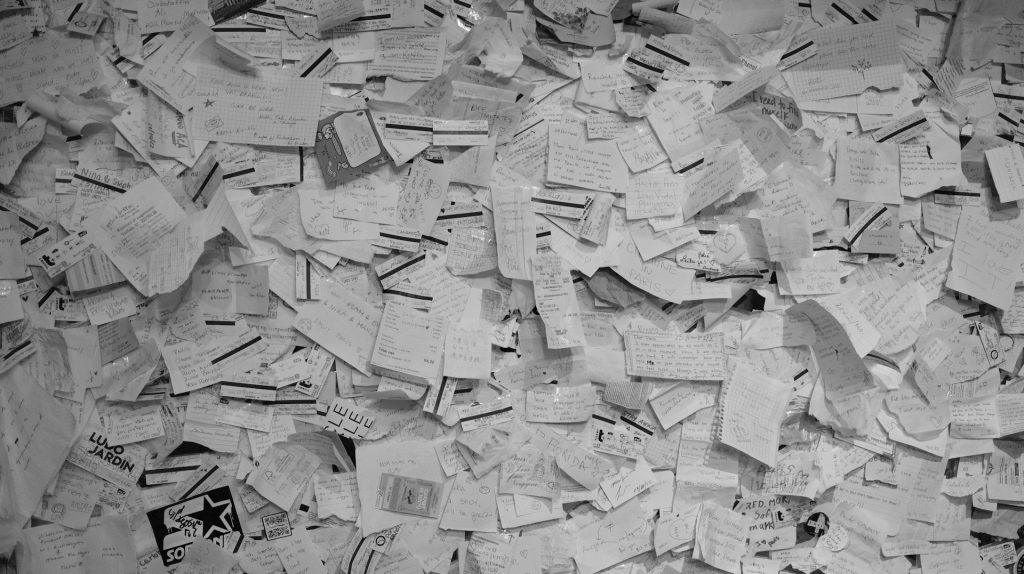

Make a Digital Coupon For A Person in the Family

Chore / practical help

  • Free car wash and interior detailing such as washing, vacuuming, cleaning the windows, and waxing the exterior.
  • One lawn mowing or a yard cleanup session
  • Errand-run day I’ll pick up groceries or run a specific errand.
  • Household chore pass you pick a chore I’ll take care of for a day
  • Tech help hour such as setting up a new device, organizing files, fixing a hiccup.
Food and drink

  • Breakfast in bed such as a tray with coffee/tea and some toast.
  • One homemade dinner night where the person gets to pick the menu or you surprise him.
  • Craft beer or coffee tasting at home.
  • Dessert night

Experiences and fun

  • Movie or game night, with snacks you choose
  • Co-op video game session where they get to pick the game.
  • Outdoor adventure day hike, bike ride, or a shore stroll.
  • Local outing to a new restaurant.
  • Sporting event

Pamper Coupons

  • One-on-one date night out of the house.
  • Home spa night using face masks, or a relaxing foot soak bath prepared and ready for them with a good movie to watch while their feet soak.
  • Unplug and unwind with a tech-free night with a simple activity planned.

How Many to Make

  • Keep 8–20 coupons to start. Make only as many as your budget can handle.
  • Include a mix of small, thoughtful gestures and a couple of bigger experiences.

Ready-to-use coupon wording to use on paper or digital coupons.

1) Traditional coupon
Coupon for: __________
Good for: __________
Expires on: __________
Redeemed by: __________

2) Specific activity coupon
This coupon entitles the bearer to: __________
Details: I will __________
Valid until: __________

3) Gratitude/theme coupon (great for a relationship)
A small token of appreciation for you, because: __________
Redeemable for: __________
Expiration: __________

Optional design and presentation tips

  • Card stock: Print on thick cardstock or cut into sturdy rectangular cards
  • Design: Keep it simple. Use his favorite colors, a clean font, and a short tagline.
  • Personal touches: Add a nickname, inside jokes, or small illustrated icons for each coupon.
  • Packaging: Bundle 6–12 coupons with a ribbon, or tuck them into a small gift envelope or a homemade coupon book.

What Kind to Include & How many to include and how to offer them

  • For a special occasion such as birthdays and anniversaries 12 to 20 coupons plus one weekend road trip.
  • Precise language and terms he’ll understand.
  • Valentine’s day Gift Coupon. Make coupons to equal what you would spend on a valentine’s present or evening out.


Newsletter No. 4 | Sunday Feb 8, 2026 | Valentine Prep | Date Invitation |

Schedule for This Week

  • Monday: Valentine Prep For the 14th.
  • Tuesday: DIY Gift Coupons
  • Wednesday: Coot a Meal Together from a New Menu
  • Thursday: Go on an Outdoor Date
  • Friday: Self care Pampering
  • Saturday: Valentines Day Celebration
  • Sunday: Quiet Detox Day
Planning a Future Date with Health Storey Valentine Prep

How to Set Up a Saturday Date for a Future Weekend

Saturdays are the best day for a couple date: free time, relaxed energy, and weekend events. Even though there are many things to do on a weekend, proposing a future Saturday date can be tricky—especially when you’re juggling schedules or trying to figure out what the other person’s interest might be. This guide gives you a simple, low-pressure plan to pick a couple of Saturdays, propose one or two options, and lock in a date that feels natural and fun.

Why Saturdays work for a future date

  • More time to plan a thoughtful activity without rushing.
  • Flexible start times: coffee, a museum visit, a hike, or dinner.
  • Less pressure than weeknights, but still enough energy to make a memorable outing.
  • You can build anticipation: a quick check-in midweek, then a plan solidified by Wednesday.

Build a simple plan before you reach out

  • Pick two Saturdays.
  • Decide on activities and a time window that would be best for your date.
  • Have a backup options in mind in case one Saturday doesn’t work because of a conflict of time or interests.

Choosing the right Saturdays


For Example: five days before Valentine’s day here is a Saturday, February 14, 2026 Scenerio. Ideally you would ask two weeks in advance.

A simple outreach plan in two steps

  • Step 1: Ask for availability with two concrete options in an email send a text message and then a formal email invitation.
  • Step 2: Confirm one choice and lock in details with your date.

Two quick templates you can adapt:

  • Casual and friendly
    “Hi [Name]! I had a great time [last time/last chat]. I’d love to hang out on a Saturday for Valentines. Are you free to [ ]. I was thinking coffee and a casual late lunch] around [time]. I’m flexible with time, what works for you?”
  • Direct and confident
    “Hi [Name], I’d really enjoy taking you out on Saturday to celebrate Valentines. We can meet at 4:00 ish. I’m thinking [activity] at [place]. Which option sounds best, or would you rather meet on a different Saturday?”

Activity ideas by Saturday energy

  • Low-key and cozy: coffe and a walk, a casual lunch, a visit to a museum or bookstore.
  • Social in a group environment: golfing with golf cart, bowling, darts, batting cage, a cooking class.
  • Relaxed date night: dinner at a local restaurant, Dancing at a club, going to a concert.
  • Active and outdoorsy (weather permitting): Hiking, Ebiking, visiting a botanical garden.

How to propose a plan that feels thoughtful and not overly romantic

  • Lead with a compliment and a shared moment: “I had a great time chatting last week; I’d love to do [this activity] with you.”
  • Be specific but flexible: “would you like to try [place] or someplace else, my treat.”
  • Offer two options, then as them for a suggestion.: “Option A: [Place A] at [time]. Option B: [Place B] at [time].
  • End with an easy opt-out: “if you don’t want to go out we can just hang out and watch Netflix and make nachos.

What to do once they say yes to your invitation

  • Lock in details: confirm date, time, and location. If you’re meeting in person, share a quick landmark or meeting point or Google map.
  • Do a tiny pre-date check-in a day before. Make sure you have each other’s phone numbers to message in case you are running late. Example message no emojis “See you at 4 PM. I’m wearing a wool jacket and boots.
  • Have a lightweight plan B ready in case of weather, cancellations, or conflicts (e.g., indoor option if rain or chilly winds appear). ” It’s raining, do you need an umbrella?”

If Saturday doesn’t work because of conflicting plans or schedule, here are graceful alternatives

  • Propose a backup weekend date: “If you have to work on February 14, how about your next day off?”

Communication etiquette to keep it smooth

  • Be respectful of their time: avoid multiple follow-ups in a short span (one polite check-in is plenty for guys. For girls, you can send them flirty chats that are pg.
  • Read cues and give space: if they seem unsure, offer alternative dates rather than pushing.
  • Keep the tone light and positive: humor and warmth go a long way.
  • Respect a no and respond graciously.

Quick checklist you can copy into your notes

  • Pick two concrete times for Saturday
  • Decide two possible activities and times.
  • Draft two message templates to use for the invitation one for the email and one for messaging.
  • Prepare one backup plan for weather or a rain check.
  • Have a polite opt-out line ready if they’re not available. ” I really like you, let me know if you want to go out on another day.”
  • Confirm details the day before the date. ” See you at [ time and place ][your name]

Valentine Prep | Create a Photo Collage

Create a Photo Collage | Digital or using prints | Valentine Day |

For Today’s Valentine’s prep create a digital photo collage that tells a story, captures a vibe, or highlights a theme. Here’s a practical guide you can use right away, plus ready-to-use ideas.

The Basics:

Have a Purpose: Decide what the collage should convey. A memory? A mood?  Pick what idea you want to share with the collage. 

Choose a Format: Pick the size for the collage.  A size that your printer can print makes collaging and framing easiest.

Mix photos to have a variety: Mix the types of photos you are using -wide, medium, close-up.  Include both people and context to balance the collage.

Be Cohesive: Use a limited color palette or a single filter, if you are making a digital collage, to make images feel connected.

Text placement: Add a short caption or date if it helps tell the story, but don’t overdo it unless text is part of the collage.

Photo selection tips

8–15 photos is a good starting range for many templates; fewer for a bold, simple look, more for a full narrative. Include:

  1 main image 

  3–5 supporting images that add context or contrast

  2–6 detail shots (textures, objects, places)

Make sure to have a Balanced number of people, places, and things in the photographs to avoid a photo‑heavy collage that feels lopsided.

Choose at least one wide establishing shot and one close‑up or candid moment for the collage.

Check variety in lighting and color to avoid a jarring collage. For examples look at Pintrest or Adobe Express.

Layout ideas

Grids: Equal-sized images in a clean grid; good for social posts.

Main photo and a grid: One large center photo with smaller images radiating around it.

Timeline strip: A horizontal or vertical line of images that tells a chronological story.

Overlay and caption: One image with a semi-transparent color wash and a short caption/date. Easy to create with a digital file.

Design and editing tips

Aspect ratio: Decide early (square for IG posts, 4:3 or 16:9 for prints/wallpaper).

Color: Apply a unifying filter or adjust white balance so skin tones look natural and colors don’t clash.

Borders and shadows: Soft white/gray borders or subtle drop shadows help images separate without feeling busy.

Text: Use 1–2 fonts total; keep captions short (dates, locations, a few words). Ensure readability against any image.

Spacing: Leave consistent margins around images; avoid crowding—negative space helps the collage breathe.

Resolution: Export at least 300 PPI for prints; 1080×1080 or 1920×1080 for social, depending on platform.

Tools and templates to try

– Canva: Large library of collage templates; great for quick, polished results.

– Adobe Creative Cloud Express (formerly Spark): Easy templates and text options.

– Google Photos: Simple collage maker built into Photos app; fast for quick sharing.

Step-by-step easy workflow for a digital Collage

1) Define purpose and size: choose your final format (e.g., square 1080×1080).

2) Gather photos: pick 8–15 images that tell the story; grab a main photograph.

3) Pre-edit: lightly crop to the target aspect ratio; adjust exposure/white balance if needed.

4) Choose layout: pick a template or sketch a simple plan (hero center, others around).

5) Arrange and tune: place images, adjust sizes, add a subtle color wash if desired.

6) Add text only if it adds meaning: date, location, short caption.

7) Export: save high-resolution for prints; export optimized size for web.

8) Quick check: view on a phone and on a computer screen to ensure readability and balance.

Today, Give Five Compliments – Written or Verbal

How to deliver a great compliment

First, be specific: Tie your compliment to a concrete example or behavior.

Second, focus on work ethic, empathy, problem-solving, or creativity.

Third, keep it brief using one or two sentences.

Fourth, center on actions, skills, or personality not looks.

Lastly, deliver in a personal way, through text or note or face to face, and in the correct context.

Here is a thoughtful compliment that doesn’t add flirting to the conversation to use as a template:

“I really appreciate your follow through on this commitment. It makes us feel more confident and able to keep moving forward.”

Customization ideas

Keep your compliments friendly and specific to your everyday.

If you’re uncertain about the tone: choose one compliment and deliver it in a straightforward, plain-spoken way without extra flourish. Do not use words that are not in your everyday vocabulary.

Genuine compliments focus on effort, character, and contribution can strengthen rapport and respect across genders.  Keep your comments specific, sincere, and non-romantic, you’ll make someone feel valued for who they are and what they do—no flirting required today.

| Packing for a Trip | Health Storey Newsletter 4 |

Daily goals to get you travel-ready and eating more vegetables this February.

As you plan trips and look toward a healthier routine, this week’s newsletter brings you a practical, easy-to-follow prep plan. We’ve lined up daily goals to get your space, your packing, and your meals on track—plus a February veggies spotlight to keep your plate vibrant even while you’re on the go.

This Week’s Daily Goals

– Monday, January 26: Empty Trash from House

– Tuesday, January 27: Organize a Drawer

– Wednesday, January 28: Vacuum the House

– Thursday, January 29: Prepare to Leave on a Trip

– Friday, January 30: Organize Travel Bags, Clean Them

– Saturday, January 31: Travel Luggage for a Weekend

– Sunday, February 1: February is About Eating More Vegetables

Healthy Travel Prep: Quick Tips

– Hydration on the go: Carry flavour packets. My favourite drink mix contains 3 grams of electrolytes that hydrate and add flavour to city tap water or bottle of water you purchase at the store. If you are packing light, you do not need to bring your own drink containers on your trip.

– Smart Lunch options: Before lunch or dinner, eat a handful of nuts to add protein to your meal. While traveling, your meals may not be as balanced or may contain less protein than at home.

-Focus on Neat Movement: You will be on a flight, spend the time at the airport standing or walking around. Track your mileage on your phone. Make sure to use the bathroom before getting on the plane and limit what you eat while flying. Grab a beverage when you land to drink while going through customs and picking up your luggage.

Sleep: Take ear buds and a travel pillow. You can buy a travel pillow at the airport for around ten dollars and give it to someone as a gift. Once you are at your destination, stay awake as long as you can to avoid jet lag. Carry a compact eye mask, earplugs, a small pillow, and a reusable tote for day trips.

Travel health kit: Grab the first aid kit you created for traveling and make sure it includes: basic bandages, antiseptic wipes, pain relievers, any personal meds, homemade ginger candy.

Focus of February 2026 Daily Goals

Vegetables

– Veggies of the Month: Bok choy Mushrooms, Peppers and Lettuce. Each week the focus will be on adding vegetables to our rice for breakfast and lunch.

Topics for Feb: Quick Prep for Veggies, Storage ideas and nutritional information and research on different vegetables being added into the Daily Story month.

Daily Storey | Sort Paperwork & Receipts|One Hour a Month|


If your desk looks like a library explosion every tax season, this post is for you. A tidy paperwork system saves time, protects your privacy, and makes audits less stressful. The goal isn’t to become a paper minimalist overnight, but to set up a straightforward rhythm: decide what to keep, securely dispose of what you don’t, and digitize receipts so nothing slides into chaos.

Title: Shred, Recycle, and Relax: A Simple Guide to Tidy Paperwork

The core idea for today’s hour: shred, recycle, and organize with a purpose

  • Shred: anything that contains sensitive personal or financial data (SSN, bank accounts, passwords, etc.).
  • Recycle: what isn’t sensitive and can’t impact your finances or legal obligations.
  • Organize: what you need to keep for audits, taxes, warranties, and compliance.
  • Digitize where possible: scan documents you need to keep and store them securely.

What to avoid

  • Don’t keep everything “just in case.” Most documents have a practical retention window. Holding on indefinitely creates clutter and risk.
  • Don’t mix sensitive papers with general recycling. A pile of unshredded papers can expose you to identity theft and data breaches.
  • Don’t staple and binder-clip everything into one giant folder. It makes shredding and scanning harder, and important items can get buried.
  • Don’t rely on memory or scattered notes for audit-related items. If it’s needed for legal or tax purposes, store it in a labeled, retrievable place.
  • Don’t ignore digital privacy bits. Even digital receipts can contain sensitive information; plan how you store and delete digital copies too.

What to keep for auditing

Audits (tax, legal, or financial) typically require documentation that proves your numbers and decisions. A practical rule of thumb is to keep supporting documents for a reasonable window and then consolidate into a retention plan. When in doubt, consult a CPA or your legal advisor.

Common categories to retain

  • Tax returns and supporting documents (receipts, invoices, mileage logs): keep at least 7 years. This aligns with many tax professionals’ guidance and can help if the IRS questions past filings.
  • Invoices and financial records (vendor invoices, receipts for business expenses): keep 7 years.
  • Bank statements and reconciliations: keep 7 years.
  • Contracts and legal documents: keep the life of the contract plus 7 years.
  • Payroll records and wage statements: keep a minimum of 7 years.
  • Insurance policies and claim records: keep through the policy period plus about 6 years.
  • Asset purchase, depreciation, and title documents: keep for as long as you own the asset, plus 7 years after disposition.
  • Warranties and product manuals related to business assets: keep for as long as you own the item or as long as the warranty lasts.

Retention needs can vary by business type, state requirements, and specific tax rules. If you’re unsure, a quick consult with a CPA can set a precise schedule tailored to you.

[pms-restrict]

WorkFlow

How to handle receipts without the mess
The easiest way to stay on top of receipts is to combine habit with a simple system. Here’s a reliable, scalable approach:

Decide what to keep and digitize

  • For every purchase, decide if the receipt is tax-deductible, a warranty item, or needed for returns. If yes, plan to keep it. If not, you can usually recycle after digitizing.
  • Use a receipt management app or scan key receipts right away.

Digitize with a consistent naming and filing system

  • Use a mobile scanning app or a dedicated scanner to create clear PDFs or images.
  • Naming convention idea: “YYYYMMDD_Vendor_Category_Amount.pdf” (e.g., 20260115_OfficeDepot_Supplies_45.20.pdf).
  • Attach metadata: category (Office/Travel/Office Supplies), purpose (tax-deductible? deductible amount), method (credit card, cash), and a brief note if needed.

Store digitally in a secure, organized place

  • Centralized cloud folder structure (for example:
  • 01 Taxes
  • 02 Banking & Billing
  • 03 Receipts by Year
    • 2025
    • 2026
  • Use OCR-enabled storage so search can find vendor names, amounts, and dates.
  • Back up regularly and limit access to those who need it.

Physical receipts: a tidy, short-term strategy

  • Keep only a small, labeled physical stash for receipts you haven’t digitized yet or which you’ll need soon (e.g., last 30–60 days).
  • Use a labeled accordion folder or a small binder with pockets, organized by month
[/pms-restrict]

Daily Goal | One Hour Cleaning Desk Space | Health Storey Goal |

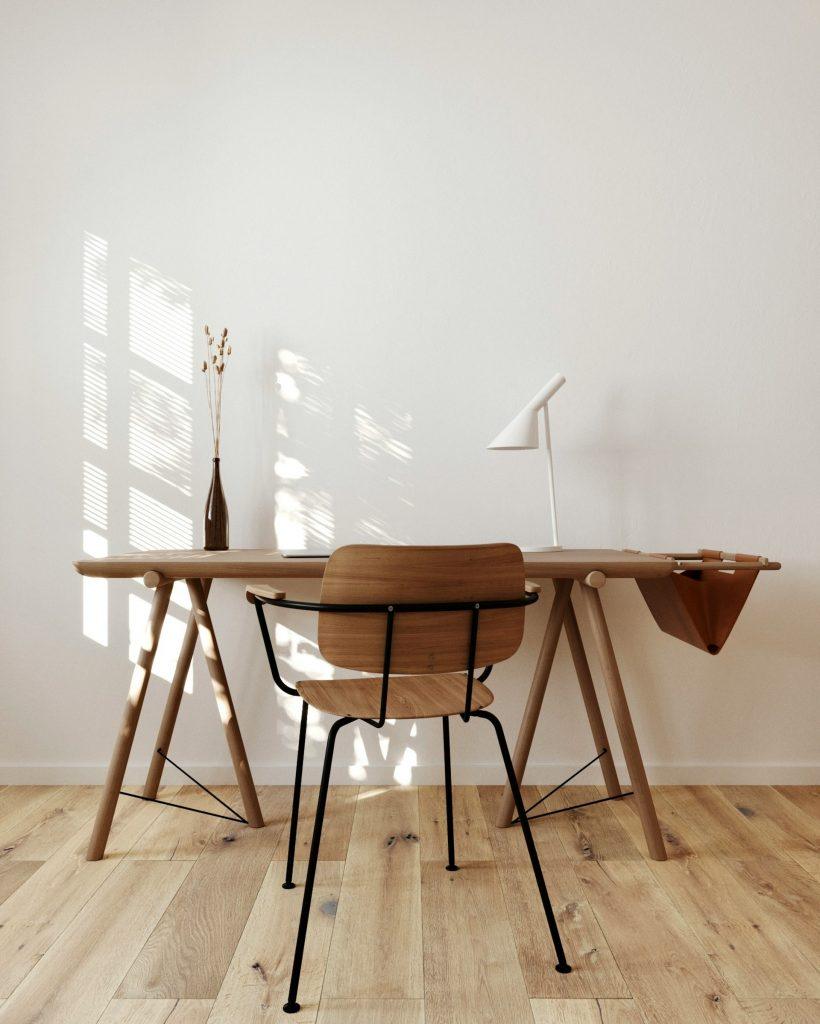
What are we writing about today? Building a calm, productive home office with smart layout, clever storage, and simple maintenance habits that keep clutter at bay—without sacrificing style or comfort.

Monday : Daily Health Storey Goal | Clear off your desktop for one hour.


Working from home can blur the line between living space and workspace, which often leads to clutter creep. The goal isn’t a sterile office; it’s a space that feels calm, functions efficiently, and still reflects your personality. Below is a practical guide to designing a home office that stays neat through smart layout, thoughtful storage, and easy maintenance routines.

[pms-restrict]

Start with your needs and the space you have

  • Define purpose: writing, video calls, design work, or a combo. Your workflow dictates furniture and storage choices.
  • Measure and plan: note doorways, window light, and power outlets. Sketch a simple layout with a desk, chair, and at least one storage solution.
  • Consider traffic flow: leave at least 3 feet of clear space for movement and easy access to frequently used items.

Pick a layout that minimizes clutter

  • Desk against a wall with clearance behind you for movement and cable routing.
  • Corner or L-shaped setups for compact rooms that still offer generous work surface.
  • Wall-mounted options: fold-down desks or wall shelves to maximize floor space in small rooms.

Create clear work zones

  • Work zone: primary desk surface for computer, keyboard, and task tools.
  • Storage zone: filing cabinets, shelves, and labeled containers within arm’s reach.
  • Focus/meeting zone: a small area free of nonessential items for calls or quick brainstorms.
  • Personal zone: one or two items that bring you joy but don’t overwhelm the space.

Desk and surface essentials for a tidy vibe

  • Choose a clean, unobtrusive desk: simple lines, a finish that hides fingerprints, and enough depth for monitors.
  • Minimalist monitor setup: one or two screens, neatly mounted if possible, to reduce desk clutter.
  • Surface discipline: limit to essentials only—monitor, keyboard, a notebook or planner, and one decorative but compact item.

Smart storage that actually gets used

  • Vertical solutions: tall bookcases, wall-mounted shelves, or pegboards to keep items off the desk.
  • Hidden storage: under-desk drawers, rolling carts, or slim filing cabinets for papers.
  • Clear labeling: use consistent labels for folders, boxes, and bins to speed up tidying.
  • Drawer strategy: implement multi-compartment organizers for pens, cables, and supplies.

Cable management that makes a difference

  • Centralize power: use a single power strip with a tidy cord sleeve.
  • Route cords out of sight: clips, channels, and adhesive cable organizers along the desk edge or behind the desk.
  • Wireless first: where possible, choose wireless peripherals and cloud-based workflows to reduce cables.
  • Hide the chaos: a shallow cable box or basket keeps cords contained and out of view.

Personalization, but keep it calm

  • One or two meaningful items: a small photo frame, a single plant, or a favorite trophy—kept tidy and minimal.
  • Plant life: choose a low-maintenance plant to add life without creating mess or extra care.
  • Color restraint: a cohesive palette (2–3 colors) for accessories helps the space feel intentional and serene.

Lighting and ergonomics for long work sessions

  • Natural light first: place the desk near a window if possible, but avoid screen glare.
  • Task lighting: a good desk lamp with adjustable brightness reduces eye strain.
  • Ergonomics: monitor at eye level, chair supports your lower back, and keyboard/mouse within easy reach to prevent clutter and fatigue.

Maintenance routines that keep neatness effortless

  • Daily 5-minute reset: close the laptop, return items to their designated spots, and straighten the desk.
  • Weekly tidy: purge old papers, dust surfaces, and wipe down electronics.
  • Monthly deep clean: clean monitor screens, keyboards, and refresh storage zones if you notice drift or dust buildup.
  • Quick digital tidy: routinely organize files in the cloud or on your computer to prevent “digital clutter” that mirrors physical clutter.

Small-space hacks that really work

  • Foldable or wall-mounted desk options for ultra-tight rooms.
  • Stackable storage or modular units that can be reconfigured as needs change.
  • Floating felt or cork boards for notes and inspiration without taking up desk real estate.
  • Use color-weighted cues: match the color of storage bins to the wall to create a seamless, less cluttered look.

A simple, repeatable routine you can actually keep

  • The 10-minute Friday reset: clear the week’s leftovers, archive completed tasks, and prep the space for Monday.
  • The “one-touch” rule for paperwork: deal with a document the first time you touch it (file, action, or discard).
  • The weekly inventory check: ensure you aren’t accumulating unused gadgets or supplies.

If you share the space or have a multi-use room

  • Separate visually: use a small area rug, curtain, or room divider to define the office area.
  • But keep it practical: ensure you still have easy access to shared items and maintain a tidy, respectful zone for others.

The Desk Plan

  • Clear, measure, and draft a simple layout.
  • Choose storage solutions and implement a clean desk policy.
  • Route cables and install a discreet cable management system.
  • Add one plant and a small personal item.
  • Set up a daily 5-minute reset routine.
  • Create a weekly 15-minute tidy ritual.
  • Review usability and adjust zones or storage as needed.

Before and after: visualizing the transformation

  • Before: a crowded desk with loose papers, tangled cables, and a hodgepodge of items.
  • After: a calm, organized space with a clean desk surface, clearly labeled storage, and a couple of personal touches that don’t overwhelm.

Practical tips to maximize impact

  • Stick to a consistent color palette for accessories to create a cohesive look.
  • Invest in one high-quality, functional item (chair, desk mat, or storage unit) to reduce clutter and improve usability.
  • Let the space reflect your workflow—don’t display items you don’t use regularly.
  • Keep an inbox tray or digital inbox for incoming items
[/pms-restrict]