
Signal a Pause or End to a Conversation | Cleaning Up an Arguing Style |Lent Pause

Ending a conversation that’s spiraling or running over into another topic can be tricky, especially when people are still “in the zone.” The goal is to be a firm but appreciative.

Here are several ways to wrap things up, depending on how much time you have left:

The “Five-Minute Warning” (Pre-emptive)

Setting expectations early prevents a jarring stop.

  • “We have about five minutes left for this conversation based on the time we set on our timer. What next step do you want to take so we can get closer to a resolution.
  • I’m getting a bit tired and need a break. let’s summarize what we’ve decided.”
  • “I hear you. We need to schedule more time for this discussion, let’s take one last comment before we stop.”

The “Hard Stop” Statements

Use these when the clock has actually hit the limit:

  • “I’ve reached my limit on this topic. I know there’s more to discuss, so let’s move the rest of this to another scheduled time for this discussion.”
  • “I have to jump away from this conversation, we have to PICK A CHORE, and I want to make sure we are focused on the discussion and not our to do list. Let’s pick this back up on [Day].”
  • “That’s it for me. let’s pause a second stare at each other and wonder how we got into this situation. Write it down on a piece of paper and I will read it out loud back to you.”

Comparison of Closing Styles

SituationUse This Statement…Tone
Running Over“I’m going to stop  our discussion here so we can stay on schedule.”Lighthearted but Firm
Unresolved Debate“It’s clear we need another discussion. Decisive
Productive Flow“This is a great start. Let’s continue building to a resolution.”Encouraging

Often, the most effective “statement” is a physical one. Closing your laptop, capping your pen, or standing up (if in person) signals to the room’s collective subconscious that the session is over and needs another meeting.

Follow Up Email or Text:

Text to Send After Discussion: Thanks for the time today. Since our discussion ended before we could reach a conclusion on the topic, I wanted to schedule a follow-up discussion.

Here are the points we agreed on so we can start from there next time? When would be a good time for you ? I’m hoping we can have a clear decision and make our relationship stronger.


Cleaning Up Argument Texts | Emoji Use | Easter/Lent Prep

Today, decide what kind of emojis you will use in your texting with friends and have an agreement on what the emojis mean for your friends.

Proper Emoji Use:

CategoryEmojisBest Use Case
Friendly/Polite😊 🙂 👋Acknowledge a message without being cold.
Agreement👍 ✅ 👌 🙌“Got it,” “Sounds good,” or “Great job.”
Humor (Safe)😂 🤣 💀Standard reaction to something funny.
Thoughtful🤔 🧐 📝Use when discussing an idea or “thinking out loud.”
The “Softener”✨ ☕ ☀️Adds a bit of cheer to a morning text or a plain sentence.

Avoid these Emojis to keep the Text Away From Weird Flirting

  • The “Heart” Variants: ❤️ 💖 💘 (Even the classic red heart is often seen as romantic.
  • The Faces: 😉 (The wink is the universal sign for “I’m flirting/teasing”), 😍 (Heart eyes), or 😘 (Blowing a kiss).

3 Rules for G-Rated Texting Etiquette

1. One is Enough Over-using emojis such as “See you there! 😊😊😊✨✨” can come across as overly eager or “bubbly” in a way that might be misread as romantic interest. Stick to one or two per message.

2. Match the Energy If they don’t use emojis, keep yours to a minimum. If you send a string of emojis to someone who only uses periods, it creates a “personality gap” that can feel awkward.

3. Use the “Business Test” If you wouldn’t feel comfortable sending that specific emoji to a friendly coworker or a cousin, don’t send it to the person you’re trying to keep things platonic.

Example of a G-Rated “Softener”:

  • Without emoji: “I’ll be there at 5.”
  • With emoji: “5pm! 👍 or 1700?👍
  • Both are fine. Place in your agreement how you feel about emoji’s and how you would like to use them with your text partner.

HALT – Dealing With Triggers | Cleaning Up Arguments |

Here are a few phrase that act as a timeout during an argument that is facing a HALT trigger:

  • For Hunger :“I really want to hear what you’re saying and give this my full attention, but I’m realizing my blood sugar is crashed and I’m starting to get irritable. Can we pause for 20 minutes while I grab a snack so I can be more present?”
  • For Fatigue :“I care about this, but I am so exhausted right now that I’m not thinking clearly. I don’t want to say something I don’t mean because I’m tired. Can we pick this back up tomorrow morning after coffee?”
  • For Physical Pain :“My [back/head/etc.] is really hurting right now, and it’s making it hard for me to stay calm. I’m starting to feel defensive because of the pain. Let me take some ibuprofen and rest for a bit, and then let’s finish this.”

The Three Golden Rules of a Timeout

To ensure the other person doesn’t feel blocked, which can escalate their anxiety, follow the following guidelines:

  1. Use “I” Statements: Focus on your own physical state such as, “I am feeling overwhelmed”. rather than how they are behaving.
  2. Give a Time frame: Always tell them when you will be ready to continue the argument and how you would like to continue arguing.
  3. Reassure the Connection: Briefly mention that the relationship or the topic is important to you, which lowers the stakes of the pause.

By naming the physical sensation—hunger, pain, or exhaustion—you move the conflict from an emotional battle to a logistical problem. It takes a negative label off your partner and places it on the biological factor that is actually causing the friction.

If you are so angry that you need a pause and don’t want to talk anymore, use these text messages:

“Hey, I’m feeling really overwhelmed and [tired/hungry] right now. Can we take a 30-minute break so I can reset? We can start chatting by text in thirty minutes.

“I’m having a hard time focusing because of physical pain. [headache/back pain/fatigue]. I really want to hear you out, but I need to go take some meds maybe lay down for a bit. Lets restart this tomorrow or after the meds have taken the pain away. “

“I’m starting to feel angry and I don’t want to take it out on you. I’m going to grab some food and clear my head. I love you—let’s pick this back up in a few hours by text OK?”


Tips for Sending the “Timeout” Text

  • The “Check-Back” Time: Always include a specific time or duration to prevent the other person from feeling like they are being ignored.
  • The “I Love You” Buffer: If it’s a partner or close friend, adding a small reassurance like “I care about this” or “I love you” helps lower their defensive walls while you’re away.
  • Silence the Notifications: Once you send the text, put your phone on ‘Do Not Disturb’ for the duration of your break.

Cleaning Your Relationship | Daily Goal | Audit Your Arguing Style

For the next ten days, focus on observing your current fighting style without trying to fix it.

  1. Day 1: Identify your “Conflict Style” (e.g., The Pursuer vs. The Withdrawer).
  2. Day 2: List your top three “Recurring Arguments” (the ones that never get solved).
  3. Day 3: Identify your physical “Tell” for anger (clenched jaw, heat in chest).
  4. Day 4: Log “Kitchen Sinking”—note every time a past issue is brought into a current one.
  5. Day 5: Track “Tone of Voice”—notice when sarcasm replaces directness.
  6. Day 6: Identify your “Early Warning System” (the moment you know a fight is coming).
  7. Day 7: Discuss “The Hangry Factor”—how hunger or fatigue affects your patience.
  8. Day 8: Audit your “Digital Habits”—do you argue over text? (Agree to stop this).
  9. Day 9: Identify “Interruption Patterns”—who talks over whom?
  10. Day 10: Share one thing your partner does well during a disagreement.

Today, review and define your arguing style in your relationship using the following styles as the basis to describe your arguing style for different situations in your relationship.

Competing

This is the “I win, you lose” approach. It is high on assertiveness and low on cooperativeness.

  • When to use it: In emergencies where quick, decisive action is vital, or when an unpopular decision must be implemented.
  • The Risk: It can breed resentment and damage long-term relationships if used as a primary tool.

Accommodating

The polar opposite of competing, this is “I lose, you win.” You prioritize the other person’s concerns over your own to maintain harmony.

  • When to use it: When you realize you are wrong, when the issue matters much more to the other person, or when “keeping the peace” is more valuable than the specific outcome.
  • The Risk: Your own needs may be consistently ignored, leading to burnout or “martyr” feelings.

Avoiding

This is the “No winner, no loser” style. You sidestep the conflict entirely, neither pursuing your own goals nor helping the other person with theirs.

  • When to use it: When the issue is trivial, when tensions are too high and people need to cool down, or when you have no chance of winning.
  • The Risk: Problems often fester and grow larger when they aren’t addressed.

Collaborating

This is the “I win, you win” style. It requires high assertiveness and high cooperation. Both parties work together to find a creative solution that fully satisfies everyone’s concerns.

  • When to use it: When the concerns of both parties are too important to be compromised, or when you want to merge different perspectives.
  • The Risk: It requires a lot of time, energy, and trust from both sides.

Compromising

This is the “We both win a little, we both lose a little” middle ground. It’s the “split the difference” approach where both sides give up something to reach a quick agreement.

  • When to use it: When you need a temporary fix for a complex issue or when you’re at a standstill with a peer of equal power.
  • The Risk: It can result in a “sub-optimal” solution where neither party is actually happy, just equally dissatisfied.

40 Day Lent Starts on Wednesday February 18, 2026

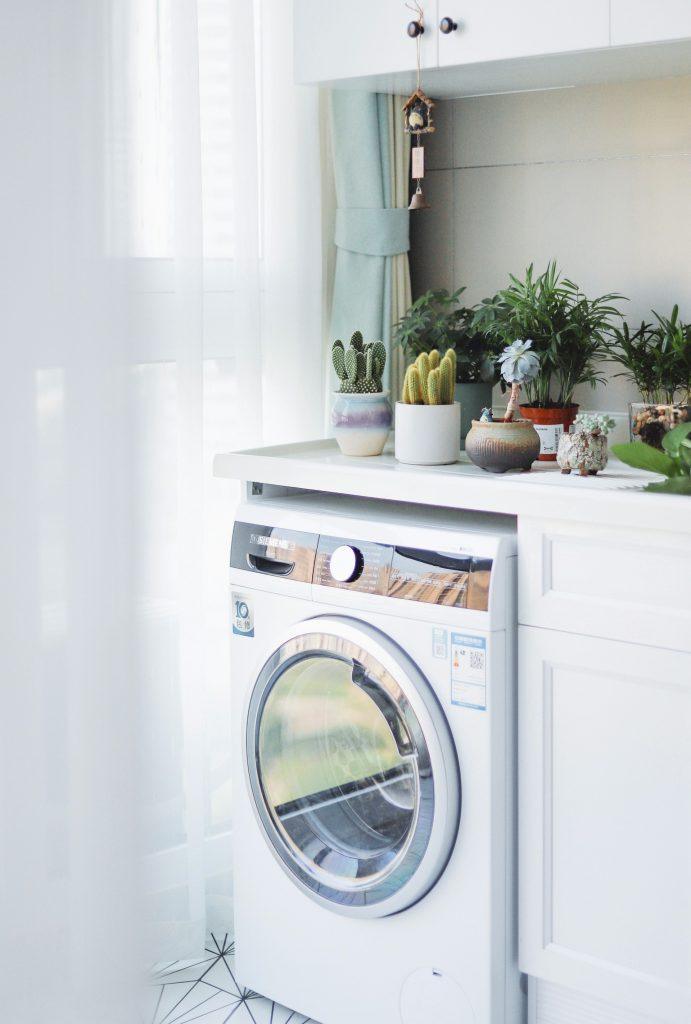
Today, Clean out your washer and dryer. Below are some tips on cleaning out both machines and some maintenance suggestions:

Clean the Washer

  • The Tub Clean: Most modern washers have a “Tub Clean” cycle. If yours doesn’t, use the Heavy Duty or Whites setting with the hottest water available.
  • The Cleaning Agent: Use a specialized washing machine cleaner tablet, or substitute with 2 cups of white vinegar poured directly into the drum.
  • The Gasket (Front-Loaders Only): This is the rubber ring around the door. Wipe it down with a 1:1 solution of vinegar and water. Be sure to peel back the folds to find trapped hair, coins, or slime.
  • The Filter: Locate the small hatch at the bottom front of the machine. Place a towel down, unscrew the filter, and rinse out the debris.

Clean the Dryer

  • The Lint Screen: Beyond emptying it after every load, wash the screen with warm soapy water once a month. Dryer sheets can leave a waxy film that restricts airflow even if the screen looks “clean.”
  • The Housing: Use a vacuum hose attachment to reach into the slot where the lint screen sits. You’d be surprised how much lint bypasses the trap.
  • The Drum: Wipe the interior drum with a microfiber cloth and a bit of rubbing alcohol or stainless steel cleaner to remove any transferred dyes or wax from dryer sheets.
  • The Exhaust Vent: At least once a year, disconnect the large silver hose from the back of the dryer and vacuum it out, or use a vent cleaning brush kit to clear the path to the outside wall.

Maintenance Tips

ComponentActionFrequency
Washer DoorLeave it propped open after use to prevent mold.Every load
Detergent DrawerPull it out and rinse away “goop.”Monthly
Dryer VentInspect the exterior flap for airflow.Seasonally

| Packing for a Trip | Health Storey Newsletter 4 |

Daily goals to get you travel-ready and eating more vegetables this February.

As you plan trips and look toward a healthier routine, this week’s newsletter brings you a practical, easy-to-follow prep plan. We’ve lined up daily goals to get your space, your packing, and your meals on track—plus a February veggies spotlight to keep your plate vibrant even while you’re on the go.

This Week’s Daily Goals

– Monday, January 26: Empty Trash from House

– Tuesday, January 27: Organize a Drawer

– Wednesday, January 28: Vacuum the House

– Thursday, January 29: Prepare to Leave on a Trip

– Friday, January 30: Organize Travel Bags, Clean Them

– Saturday, January 31: Travel Luggage for a Weekend

– Sunday, February 1: February is About Eating More Vegetables

Healthy Travel Prep: Quick Tips

– Hydration on the go: Carry flavour packets. My favourite drink mix contains 3 grams of electrolytes that hydrate and add flavour to city tap water or bottle of water you purchase at the store. If you are packing light, you do not need to bring your own drink containers on your trip.

– Smart Lunch options: Before lunch or dinner, eat a handful of nuts to add protein to your meal. While traveling, your meals may not be as balanced or may contain less protein than at home.

-Focus on Neat Movement: You will be on a flight, spend the time at the airport standing or walking around. Track your mileage on your phone. Make sure to use the bathroom before getting on the plane and limit what you eat while flying. Grab a beverage when you land to drink while going through customs and picking up your luggage.

Sleep: Take ear buds and a travel pillow. You can buy a travel pillow at the airport for around ten dollars and give it to someone as a gift. Once you are at your destination, stay awake as long as you can to avoid jet lag. Carry a compact eye mask, earplugs, a small pillow, and a reusable tote for day trips.

Travel health kit: Grab the first aid kit you created for traveling and make sure it includes: basic bandages, antiseptic wipes, pain relievers, any personal meds, homemade ginger candy.

Focus of February 2026 Daily Goals

Vegetables

– Veggies of the Month: Bok choy Mushrooms, Peppers and Lettuce. Each week the focus will be on adding vegetables to our rice for breakfast and lunch.

Topics for Feb: Quick Prep for Veggies, Storage ideas and nutritional information and research on different vegetables being added into the Daily Story month.

Weekend | Work On Home Office Layout | Hours

Best Office Layouts for a Productive, Adaptable Workplace


The layout of an office does more than just hold desks and chairs. It shapes how people collaborate, where deep work gets done, and how a company adapts to change. A great office layout supports your culture, keeps people engaged, and scales with growth. The challenge is balancing openness with privacy, collaboration with focus, and cost with comfort. Below are the most effective layouts you’ll see in modern offices, along with when they shine, common pitfalls, and practical tips to make them work for your team.

Open-Plan / Collaborative Layout
What it is: Long rows or clusters of desks with minimal walls, designed to enable quick conversations and spontaneous collaboration.

Pros

  • Fosters quick communication and teamwork.
  • Maximizes floor space and can feel more energetic and inclusive.
  • Easier to reconfigure as teams shift.

Cons

  • Noise and visual distractions can hurt focus.
  • Some employees may feel exposed or exposed to interruptions.

When it shines

  • Creative, design, and sales teams that rely on rapid feedback.
  • Startups or fast-growing teams that prioritize collaboration over privacy.
  • Use zones: dedicate specific areas for heads-down work and others for collaboration.
  • Add sound-absorbing materials: carpets, ceiling tiles, acoustic panels, and upholstered furniture.
  • Create “quiet corners” with taller furniture or screens for focused work.
  • Introduce visual cues to signal when someone is in deep work mode (e.g., desk nameplates, signals, or status indicators).

Activity-Based Work Layout
What it is: A campus-like approach with distinct zones for different activities—focus, collaboration, socializing, and breakout work—often with a mix of furnishings and clever wayfinding.

Pros

  • Supports varied work styles within one space.
  • Encourages collaboration in the right spaces and privacy when needed.
  • Flexible by design; easy to reallocate areas without major construction.

Cons

  • Requires thoughtful planning and clear usage guidelines.
  • Can feel chaotic if zones aren’t well defined or poorly signed.

When it shines

  • Teams with a mix of roles: developers who need deep focus, marketers who need collaboration, and managers who host meetings.
  • Companies undergoing frequent project shifts or process changes.

Practical Tips

  • Map activities to spaces: designate dedicated rooms or zones for focus, meetings, quick huddles, and social areas.
  • Plan sightlines and wayfinding: clear arrows, color-coded zones, and signage help people find the right space quickly.
  • Invest in flexible furnishings: height-adjustable desks, mobile whiteboards, and movable screens to morph spaces as needs change.
  • Consider acoustics in open areas: soft furnishings, wall panels, and ceiling treatments to keep background noise manageable.

Cellular Private Offices / Mixed Privacy Layout
What it is: A mix of private offices or enclosed workstations with doors, balanced by shared spaces for meetings and collaboration.

Pros

  • Strong privacy and reduced interruptions for deep work.
  • Clear delineation between management and staff in many designs.

Cons

  • Can feel isolating and reduce spontaneous collaboration if overused.
  • Higher real estate costs per employee and potential underutilization.

When it shines

  • Roles that require confidentiality or extensive concentration (legal, finance, R&D, senior leadership).
  • Teams that need predictable meeting rooms and private spaces for sensitive conversations.
  • Blend with open, collaborative zones to avoid isolation.
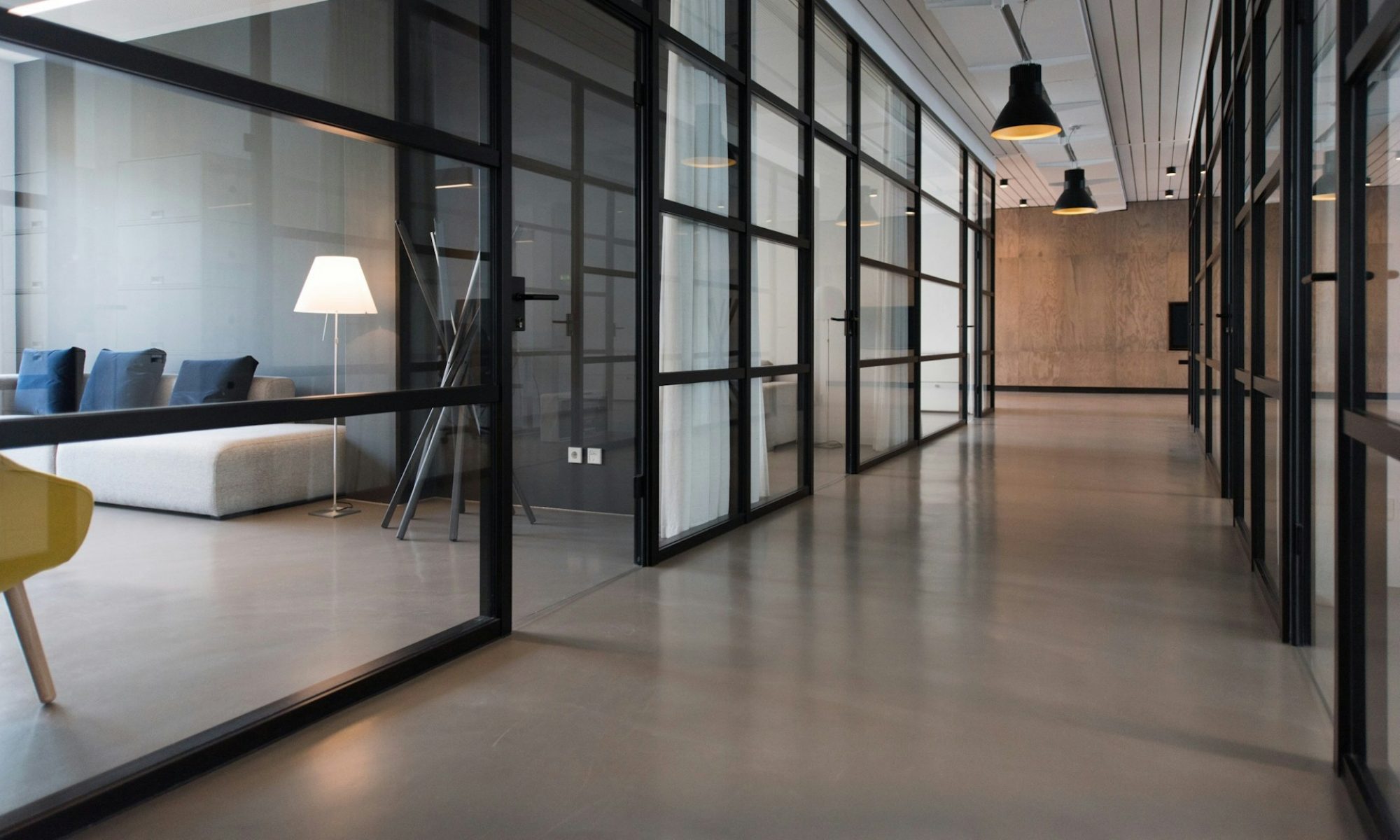
  • Use glass or transparent partitions to maintain a sense of openness while preserving privacy.
  • Create “office adjacencies” for quick interactions: place meeting rooms and quiet rooms near teams to minimize long walks.

Hybrid / Breakout-Heavy Layout
What it is: A flexible mix of small nooks, breakout lounges, informal seating, and short-task desks designed to support quick, informal work sessions and meetings.

Pros

  • Encourages informal collaboration and rapid problem-solving.
  • Feels modern and approachable, often improving employee satisfaction.

Cons

  • Can suffer from underuse if spaces aren’t inviting or properly scheduled.
  • Requires ongoing management to keep reservation systems simple and fair.

When it shines

  • Teams that brainstorm frequently, run standups, or host clients in-house.
  • Organizations embracing agile, sprint-based workflows.

Practical tips

  • Offer a spectrum of breakout formats: high-top tables for quick chats, lounge seating for relaxed discussions, and semi-enclosed nooks for privacy.
  • Implement a simple booking or “first-come, first-served” system to avoid crowding and overlap.
  • Provide writing surfaces and digital collaboration tools in breakout areas to capture ideas quickly.

Modular / Flexible Layouts with Movable Walls
What it is: Floor plans built with demountable walls, modular furniture, and easy-to-reconfigure components that evolve with your business.

Pros

  • Extremely adaptable to headcount changes or new workflows.
  • Protects long-term space value by enabling reconfiguration rather than relocation.

Cons

  • Higher initial investment and planning effort.
  • Requires ongoing management to keep the space coherent.

When it shines

  • Growing companies, firms that pivot often, or businesses planning frequent internal reorganizations.
  • Spaces that host rotating teams or cross-functional projects.

Practical tips

  • Plan for scalable zones: design core areas that can be expanded with modular inserts.
  • Choose modular furniture with multiple configurations to support different activities.
  • Keep electrical, data, and HVAC in mind; plan for future needs when you install partitions.

Deskless / Hot-Desking Layout
What it is: A system where employees don’t have assigned desks; they choose a workstation when they arrive, often guided by a booking app.

Pros

  • Maximizes real estate efficiency; good for hybrid or remote-heavy teams.
  • Encourages movement and interaction across departments.

Cons

  • Personalization can be tough; some people struggle to leave belongings behind.
  • Requires strong IT and facilities support to manage bookings, equipment, and entry access.

When it shines

  • Companies with strong hybrid work policies or limited on-site needs.
  • Teams that travel between client sites or work remotely part

Daily Goal | One Hour Cleaning Desk Space | Health Storey Goal |

What are we writing about today? Building a calm, productive home office with smart layout, clever storage, and simple maintenance habits that keep clutter at bay—without sacrificing style or comfort.

Monday : Daily Health Storey Goal | Clear off your desktop for one hour.


Working from home can blur the line between living space and workspace, which often leads to clutter creep. The goal isn’t a sterile office; it’s a space that feels calm, functions efficiently, and still reflects your personality. Below is a practical guide to designing a home office that stays neat through smart layout, thoughtful storage, and easy maintenance routines.

[pms-restrict]

Start with your needs and the space you have

  • Define purpose: writing, video calls, design work, or a combo. Your workflow dictates furniture and storage choices.
  • Measure and plan: note doorways, window light, and power outlets. Sketch a simple layout with a desk, chair, and at least one storage solution.
  • Consider traffic flow: leave at least 3 feet of clear space for movement and easy access to frequently used items.

Pick a layout that minimizes clutter

  • Desk against a wall with clearance behind you for movement and cable routing.
  • Corner or L-shaped setups for compact rooms that still offer generous work surface.
  • Wall-mounted options: fold-down desks or wall shelves to maximize floor space in small rooms.

Create clear work zones

  • Work zone: primary desk surface for computer, keyboard, and task tools.
  • Storage zone: filing cabinets, shelves, and labeled containers within arm’s reach.
  • Focus/meeting zone: a small area free of nonessential items for calls or quick brainstorms.
  • Personal zone: one or two items that bring you joy but don’t overwhelm the space.

Desk and surface essentials for a tidy vibe

  • Choose a clean, unobtrusive desk: simple lines, a finish that hides fingerprints, and enough depth for monitors.
  • Minimalist monitor setup: one or two screens, neatly mounted if possible, to reduce desk clutter.
  • Surface discipline: limit to essentials only—monitor, keyboard, a notebook or planner, and one decorative but compact item.

Smart storage that actually gets used

  • Vertical solutions: tall bookcases, wall-mounted shelves, or pegboards to keep items off the desk.
  • Hidden storage: under-desk drawers, rolling carts, or slim filing cabinets for papers.
  • Clear labeling: use consistent labels for folders, boxes, and bins to speed up tidying.
  • Drawer strategy: implement multi-compartment organizers for pens, cables, and supplies.

Cable management that makes a difference

  • Centralize power: use a single power strip with a tidy cord sleeve.
  • Route cords out of sight: clips, channels, and adhesive cable organizers along the desk edge or behind the desk.
  • Wireless first: where possible, choose wireless peripherals and cloud-based workflows to reduce cables.
  • Hide the chaos: a shallow cable box or basket keeps cords contained and out of view.

Personalization, but keep it calm

  • One or two meaningful items: a small photo frame, a single plant, or a favorite trophy—kept tidy and minimal.
  • Plant life: choose a low-maintenance plant to add life without creating mess or extra care.
  • Color restraint: a cohesive palette (2–3 colors) for accessories helps the space feel intentional and serene.

Lighting and ergonomics for long work sessions

  • Natural light first: place the desk near a window if possible, but avoid screen glare.
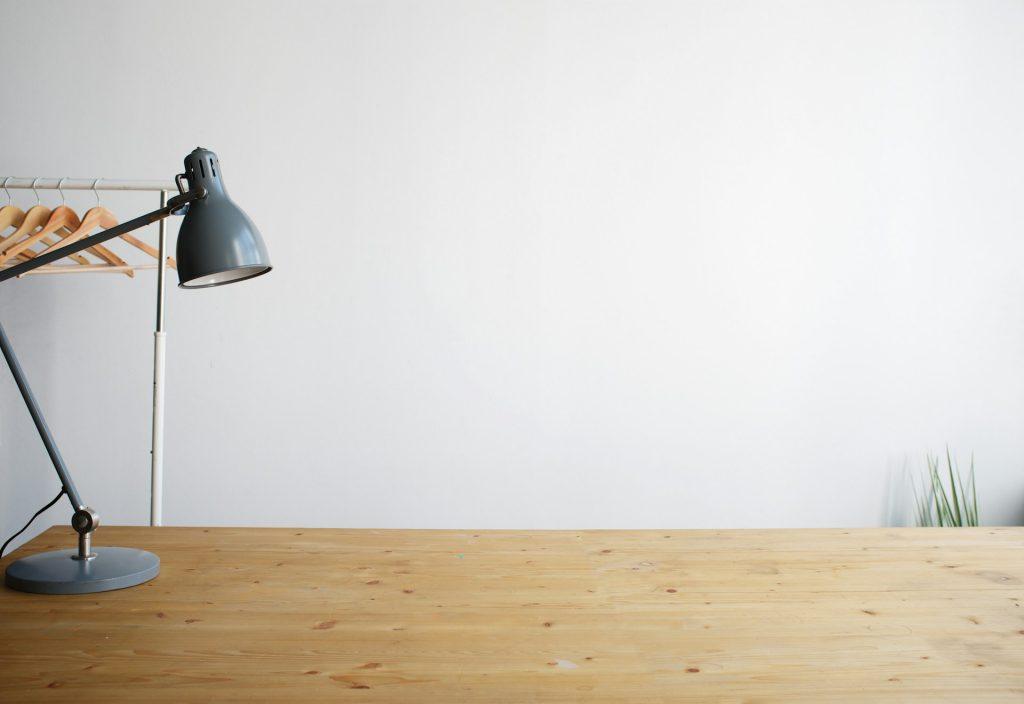
  • Task lighting: a good desk lamp with adjustable brightness reduces eye strain.
  • Ergonomics: monitor at eye level, chair supports your lower back, and keyboard/mouse within easy reach to prevent clutter and fatigue.

Maintenance routines that keep neatness effortless

  • Daily 5-minute reset: close the laptop, return items to their designated spots, and straighten the desk.
  • Weekly tidy: purge old papers, dust surfaces, and wipe down electronics.
  • Monthly deep clean: clean monitor screens, keyboards, and refresh storage zones if you notice drift or dust buildup.
  • Quick digital tidy: routinely organize files in the cloud or on your computer to prevent “digital clutter” that mirrors physical clutter.

Small-space hacks that really work

  • Foldable or wall-mounted desk options for ultra-tight rooms.
  • Stackable storage or modular units that can be reconfigured as needs change.
  • Floating felt or cork boards for notes and inspiration without taking up desk real estate.
  • Use color-weighted cues: match the color of storage bins to the wall to create a seamless, less cluttered look.

A simple, repeatable routine you can actually keep

  • The 10-minute Friday reset: clear the week’s leftovers, archive completed tasks, and prep the space for Monday.
  • The “one-touch” rule for paperwork: deal with a document the first time you touch it (file, action, or discard).
  • The weekly inventory check: ensure you aren’t accumulating unused gadgets or supplies.

If you share the space or have a multi-use room

  • Separate visually: use a small area rug, curtain, or room divider to define the office area.
  • But keep it practical: ensure you still have easy access to shared items and maintain a tidy, respectful zone for others.

The Desk Plan

  • Clear, measure, and draft a simple layout.
  • Choose storage solutions and implement a clean desk policy.
  • Route cables and install a discreet cable management system.
  • Add one plant and a small personal item.
  • Set up a daily 5-minute reset routine.
  • Create a weekly 15-minute tidy ritual.
  • Review usability and adjust zones or storage as needed.

Before and after: visualizing the transformation

  • Before: a crowded desk with loose papers, tangled cables, and a hodgepodge of items.
  • After: a calm, organized space with a clean desk surface, clearly labeled storage, and a couple of personal touches that don’t overwhelm.

Practical tips to maximize impact

  • Stick to a consistent color palette for accessories to create a cohesive look.
  • Invest in one high-quality, functional item (chair, desk mat, or storage unit) to reduce clutter and improve usability.
  • Let the space reflect your workflow—don’t display items you don’t use regularly.
  • Keep an inbox tray or digital inbox for incoming items
[/pms-restrict]