Location of Phone or tablet in desk Drawer: _____________________________________________
Phone Passcode: [ ____ ____ ____ ____ ]
What is on this phone: This device contains group data for projects, emergency contact numbers for projects, the presentation decks, JPGS to be used with colleagues, graphs, timelines, work focus, other data that might be useful are found on screen folders created for easy management of data.
The goal is towards a productive outcome. The following templates focus on accountability and remediation.
The Employee / Co-Worker Template:
“I realize that [Specific Action/Mistake] has caused [Impact on You/Project]. To resolve this, I am [Immediate Action Step] and will have it to you by [Time/Date].”
Name of Person / Date/Issue Topic
How to Pair Your Responses with Their Apologies
If the Employee Says…
You can respond with…
“I realize missing the 9 AM deadline delayed your reviewand I’m working to resolve my scheduling conflict.
“Thanks for acknowledging the delay. Since we’re on a deadline, I’ll look for the update by the time you specified and if you need assistance with your scheduling conflict, please let me know.”
“I see the error in the spreadsheet; it’s made the data look inconsistent.”
“I appreciate you catching the data error. Now that we’re back on track, let’s focus on adding that to your role.”
“I’m adjusting my process to ensure this oversight doesn’t happen again.”
“I appreciate you changing your work method. Could we briefly walk through what caused the slip-up and the change in process?”
“I want to make sure I’ve got this right. Let me take a second to recap what you’ve said.”
Paraphrasing
Paraphrase their core point.
“So, from your perspective, the main issue is _______?”
Acknowledgement
Acknowledge the “why.”
“I can see why that’s a priority.”
Expand Conversation – Open Ended Question.
Open the floor for depth.
“What would a successful outcome look like?”
Active Reading: The Digital Equivalent
Active Reading in email prevents the “I didn’t see that” or “I thought you meant X” back-and-forth.
How to Practice Active Reading:
The “Vibe” Check: Before responding, identify the sender’s tone and decide whether they are upset, stressed, or just sending information in their email.
Highlighting Triggers: Physically or mentally highlight three things while reading the text: Is there a Deadline? What is the writer wanting? Is there something you need to do?
The “Draft-then-Verify” Method:
Start your reply by summarizing their request: “Thanks for the update. I read you’re looking for the final slide deck by Thursday at 4 PM, is that correct?”
Annotated Replies: If the email is long, respond in a different colour, a shade of dark blue or maroon, after each point in the email to make sure everything is addressed and to confirm that you have not missed one of their points.
Tips for Implementation
Wait for the “Pause”: In a meeting, wait 3 seconds before responding. This ensures they’ve finished their thought.
Notes over Memory: Taking physical notes is a visual cue to the other person that you are listening. Validate their feelings and that the information is important.
I am writing to sincerely apologize for [specific action/incident]. I recognize that my conduct on [Date] fell short of the standards, values and corporate culture we uphold at [ name of company / department of company.]
Our organization is built on [the rule/standard you violated], and I deeply regret that my actions may have [affected my work or compromised a business relationship or affected my colleagues. I take full responsibility for this lapse in judgment caused by [what caused the lapse in judgement.]
Moving forward, I would like to [specific corrective action, attend HR training.] I value my place in the business / department and hope to regain your trust and the trust of my colleagues.
With sincerest apology,
[Your Name]
2. Personal Apology to colleagues
Dear [Name]/ Department
I wanted to reach out and apologize for what happened [earlier today/at the meeting]. I realize that my words/actions regarding [topic] were insensitive and did not show the respect you deserve as my colleagues.
I value our work relationship and the unique perspectives you bring to my job. I am learning how to better navigate in our shared space, and I’m sorry that I let you down by [action that let them down.]
When you’re ready, please let me know how I can improve my communication style or work style so that this event does not repeat in the future.
Please accept my sincere apologies for the [delay/error] regarding [specific service or product]. At [Your Business Name], we pride ourselves on delivering high-quality service, and on this occasion, we clearly fell short of our standards.
I understand how this has impacted you, and I am taking immediate steps to ensure this does not happen again.
Thank you for your patience and for being a valued client. We appreciate the opportunity to correct this failure in service and strengthen our business relationship.
Sincerely,
[Your Name]
2. The “Human Error” Apology Caused by a Mistake in communication or project work
I am writing to personally apologize for the mistake made in [specific task]. After reviewing the situation, I realize that [briefly explain what happened—e.g., a communication lapse or a technical oversight] led to this result.
I have already [action taken to fix the mistake] and am personally overseeing the remainder of this project to ensure the highest quality moving forward.
I value our professional relationship and am committed to regaining your trust. Please let me know if you would like to hop on a quick call to discuss any further concerns.
Sincerely,
[Your Name]
3. The “Soft” Apology used for a misunderstanding or slow response
Subject: Following up on our recent communication
Dear [Client Name],
I wanted to reach out and apologize for the delay in getting back to you. We have been experiencing a higher volume of inquiries than usual, and are fixing this issue through our personnel.
I appreciate your patience while I gather the information you requested. Please find the details attached below:
[Insert information requested]
Thank you for your understanding. I look forward to moving forward with you on this.
What are we writing about today? Building a calm, productive home office with smart layout, clever storage, and simple maintenance habits that keep clutter at bay—without sacrificing style or comfort.
Monday : Daily Health Storey Goal | Clear off your desktop for one hour.
Working from home can blur the line between living space and workspace, which often leads to clutter creep. The goal isn’t a sterile office; it’s a space that feels calm, functions efficiently, and still reflects your personality. Below is a practical guide to designing a home office that stays neat through smart layout, thoughtful storage, and easy maintenance routines.
[pms-restrict]
Start with your needs and the space you have
Define purpose: writing, video calls, design work, or a combo. Your workflow dictates furniture and storage choices.
Measure and plan: note doorways, window light, and power outlets. Sketch a simple layout with a desk, chair, and at least one storage solution.
Consider traffic flow: leave at least 3 feet of clear space for movement and easy access to frequently used items.
Pick a layout that minimizes clutter
Desk against a wall with clearance behind you for movement and cable routing.
Corner or L-shaped setups for compact rooms that still offer generous work surface.
Wall-mounted options: fold-down desks or wall shelves to maximize floor space in small rooms.
Create clear work zones
Work zone: primary desk surface for computer, keyboard, and task tools.
Storage zone: filing cabinets, shelves, and labeled containers within arm’s reach.
Focus/meeting zone: a small area free of nonessential items for calls or quick brainstorms.
Personal zone: one or two items that bring you joy but don’t overwhelm the space.
Desk and surface essentials for a tidy vibe
Choose a clean, unobtrusive desk: simple lines, a finish that hides fingerprints, and enough depth for monitors.
Minimalist monitor setup: one or two screens, neatly mounted if possible, to reduce desk clutter.
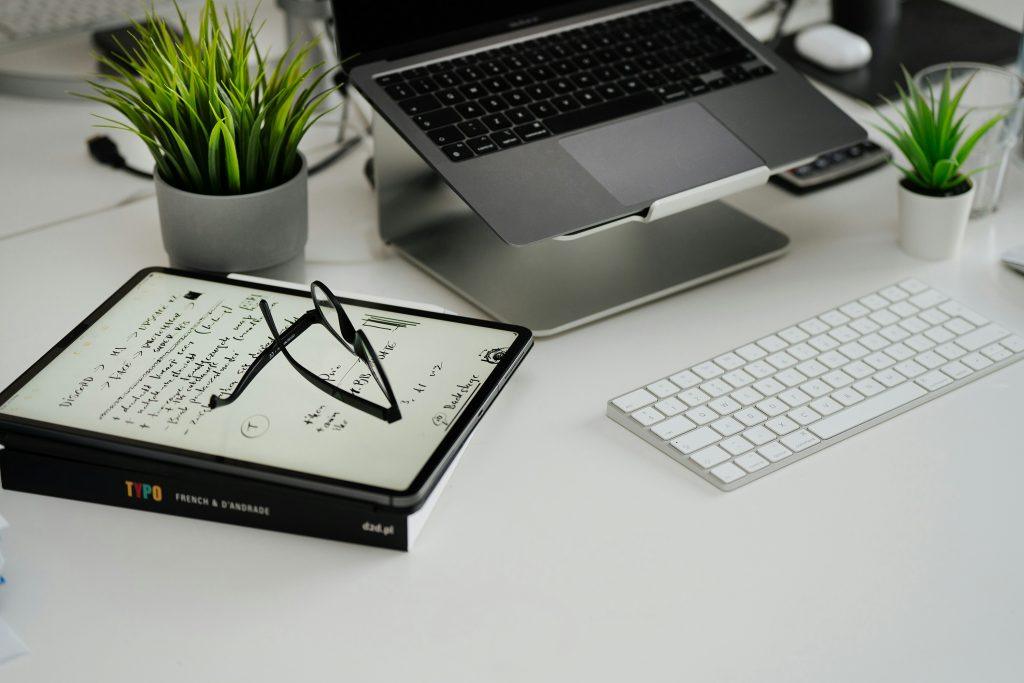
Surface discipline: limit to essentials only—monitor, keyboard, a notebook or planner, and one decorative but compact item.
Smart storage that actually gets used
Vertical solutions: tall bookcases, wall-mounted shelves, or pegboards to keep items off the desk.
Hidden storage: under-desk drawers, rolling carts, or slim filing cabinets for papers.
Clear labeling: use consistent labels for folders, boxes, and bins to speed up tidying.
Drawer strategy: implement multi-compartment organizers for pens, cables, and supplies.
Cable management that makes a difference
Centralize power: use a single power strip with a tidy cord sleeve.
Route cords out of sight: clips, channels, and adhesive cable organizers along the desk edge or behind the desk.
Wireless first: where possible, choose wireless peripherals and cloud-based workflows to reduce cables.
Hide the chaos: a shallow cable box or basket keeps cords contained and out of view.
Personalization, but keep it calm
One or two meaningful items: a small photo frame, a single plant, or a favorite trophy—kept tidy and minimal.
Plant life: choose a low-maintenance plant to add life without creating mess or extra care.
Color restraint: a cohesive palette (2–3 colors) for accessories helps the space feel intentional and serene.
Lighting and ergonomics for long work sessions
Natural light first: place the desk near a window if possible, but avoid screen glare.
Task lighting: a good desk lamp with adjustable brightness reduces eye strain.
Ergonomics: monitor at eye level, chair supports your lower back, and keyboard/mouse within easy reach to prevent clutter and fatigue.
Maintenance routines that keep neatness effortless
Daily 5-minute reset: close the laptop, return items to their designated spots, and straighten the desk.
Weekly tidy: purge old papers, dust surfaces, and wipe down electronics.
Monthly deep clean: clean monitor screens, keyboards, and refresh storage zones if you notice drift or dust buildup.
Quick digital tidy: routinely organize files in the cloud or on your computer to prevent “digital clutter” that mirrors physical clutter.
Small-space hacks that really work
Foldable or wall-mounted desk options for ultra-tight rooms.
Stackable storage or modular units that can be reconfigured as needs change.
Floating felt or cork boards for notes and inspiration without taking up desk real estate.
Use color-weighted cues: match the color of storage bins to the wall to create a seamless, less cluttered look.
A simple, repeatable routine you can actually keep
The 10-minute Friday reset: clear the week’s leftovers, archive completed tasks, and prep the space for Monday.
The “one-touch” rule for paperwork: deal with a document the first time you touch it (file, action, or discard).
The weekly inventory check: ensure you aren’t accumulating unused gadgets or supplies.
If you share the space or have a multi-use room
Separate visually: use a small area rug, curtain, or room divider to define the office area.
But keep it practical: ensure you still have easy access to shared items and maintain a tidy, respectful zone for others.
The Desk Plan
Clear, measure, and draft a simple layout.
Choose storage solutions and implement a clean desk policy.
Route cables and install a discreet cable management system.
Add one plant and a small personal item.
Set up a daily 5-minute reset routine.
Create a weekly 15-minute tidy ritual.
Review usability and adjust zones or storage as needed.
Before and after: visualizing the transformation
Before: a crowded desk with loose papers, tangled cables, and a hodgepodge of items.
After: a calm, organized space with a clean desk surface, clearly labeled storage, and a couple of personal touches that don’t overwhelm.
Practical tips to maximize impact
Stick to a consistent color palette for accessories to create a cohesive look.
Invest in one high-quality, functional item (chair, desk mat, or storage unit) to reduce clutter and improve usability.
Let the space reflect your workflow—don’t display items you don’t use regularly.
Keep an inbox tray or digital inbox for incoming items